
.jpg)

Posted by:
Category:
Comments:
Post Date:
How to Remove Pins from Connector Without Damage: 5 Mistakes to Avoid (Beginner Tips)
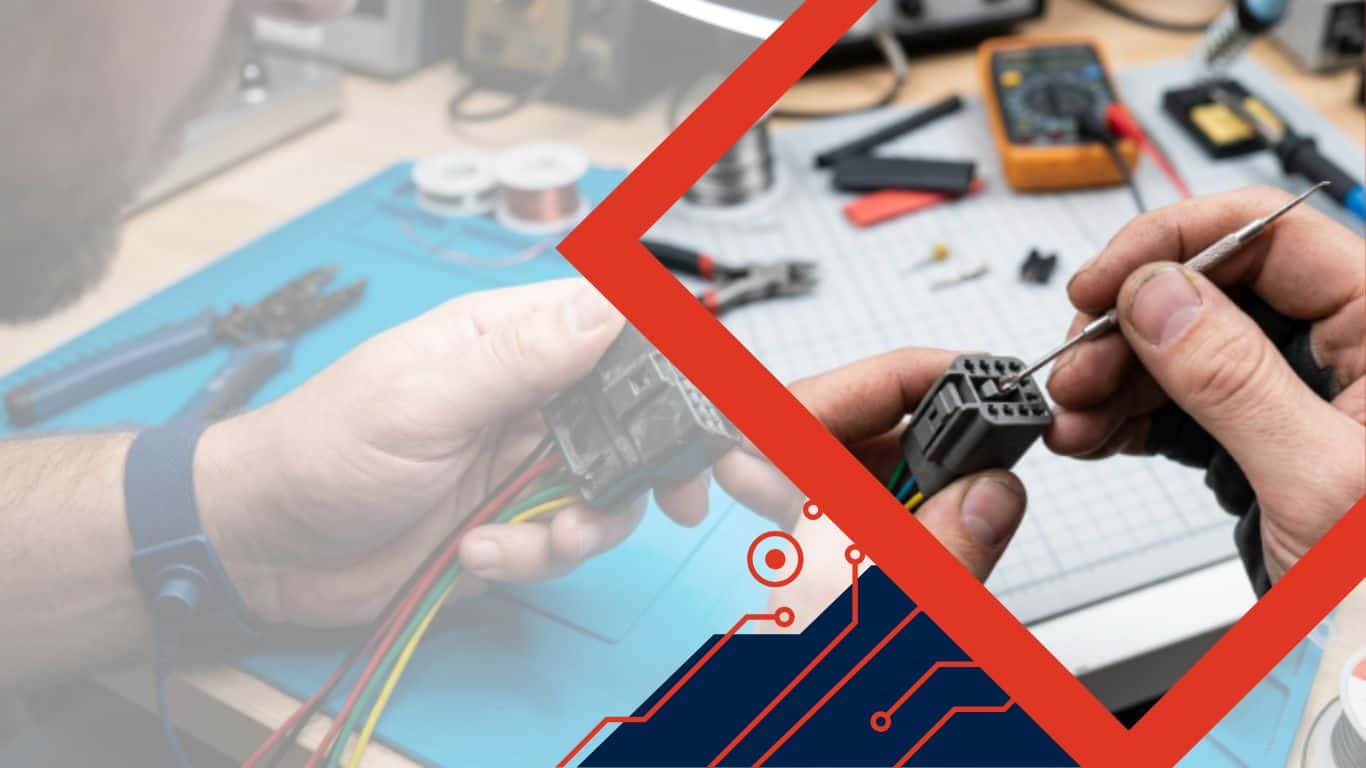
Removing pins from connectors can be tricky. One wrong move, and you risk bending or breaking them. Many beginners struggle with this. But don’t worry, there’s a safe way. With the right steps, you can learn how to remove pins from a connector or how to de-pin a connector without damage. Let’s break it down quickly so you can get it done right.
30 Second Summary
- Learn how to remove pins from connector safely without damage.
- Avoid 5 common beginner mistakes when removing connector pins.
- Step-by-step tips for how to de-pin a connector effectively.
- Expert guidance from Go Switchgear to protect your electrical connectors.
This guide explains exactly how to remove pins from connector safely. Follow these steps to save time and avoid costly mistakes.
Why Proper Connector Pin Removal Matters
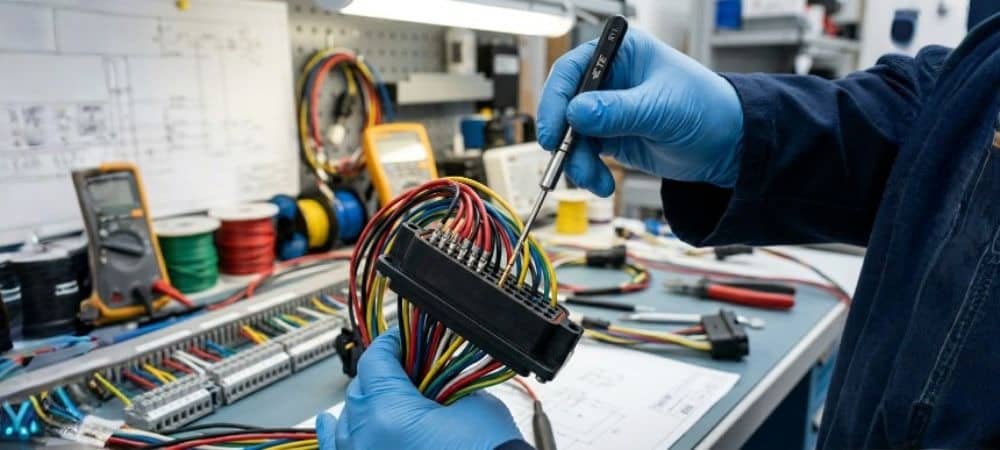
Damaged pins or connectors can lead to:
- Poor electrical connections
- Equipment failure
- Safety hazards
Connector pin removal is critical in electrical systems, especially when dealing with circuit protection gear. Correct technique prevents damage and ensures reliable connections.
Tools You’ll Need (and When You Can Skip Them)
Most connectors require simple tools:
- Pin extraction tools
- Small flathead screwdriver
- Needle-nose pliers
Sometimes, you can de-pin a connector without a tool, using careful finger pressure and patience. Remember: force is the enemy.
Mistake 1: Pulling Pins Without Releasing Locks
Many beginners pull pins immediately. Connectors often have small locking tabs.
- Bucket Brigade: Stop! Don’t yank pins yet.
- Always check for connector pin removal clips.
- Using the right technique avoids bent or broken pins.
Mistake 2: Using Excessive Force
Excessive force can ruin the connector.
- Pull pins gently.
- If stuck, verify lock release or alignment.
- Using a tool incorrectly can permanently damage the terminal.
Mistake 3: Ignoring Pin Orientation
Pins must align with the slot. Pulling at an angle can damage contacts.
- Visual inspection matters.
- Check for orientation marks before attempting how to de-pin a connector.
Mistake 4: Skipping Safety Measures
Electrical connectors can carry current. Always:
- Disconnect power first
- Wear gloves if needed
- Avoid short circuits
This simple precaution prevents accidents and equipment damage.
Mistake 5: Not Cleaning Connectors Before Reinstallation
Dirt or debris can prevent proper seating. Clean connectors after pin removal.
- Use compressed air or a soft brush
- Inspect each pin for corrosion
This ensures long-term reliability and prevents future electrical failures.
Step-by-Step Guide: How to De-pin a Connector
- Disconnect power
- Identify locking mechanism
- Use an extraction tool or gentle pressure
- Pull pins straight out, keeping alignment
- Inspect pins for damage
This method works for how to remove electrical connector pins in almost all applications.
Tips for Removing Connector Pins Without Damage
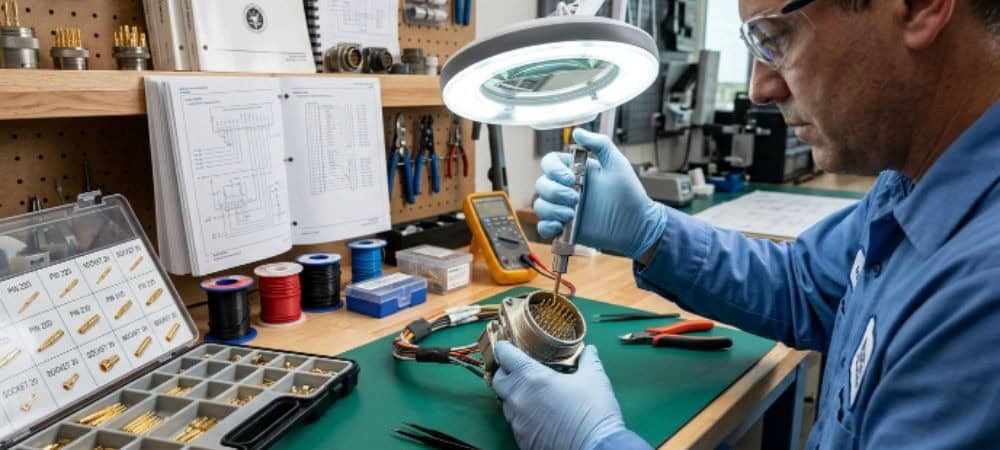
- Work in a well-lit area
- Use magnification for small connectors
- Avoid twisting or bending pins
- Organize removed pins to prevent confusion
- If unsure, consult manuals or experts
For high-quality connectors, Go Switchgear offers a wide range of different types of terminals and connectors ideal for UAE electrical systems.
How to Get Pins Out of Electrical Connectors Efficiently
Efficiency comes from practice and correct technique:
- Understand each connector type
- Apply minimal force
- Release locking mechanisms before pulling
With these tips, removing pin tasks becomes quick, safe, and effective.
Understanding Different Connector Types for Safe Pin Removal
Not all connectors are created equal. Knowing the type of connector you’re dealing with can save you time and prevent damage. Some common types include:
- Blade Connectors: Often found in automotive and industrial applications. Pins slide out easily if the locking tab is released.
- Circular Connectors: Used in heavy machinery; pins may require careful alignment to remove.
- Modular Connectors (RJ45, RJ11): Common in networking; require release of a plastic clip.
- Header Connectors: Found on PCBs; pins are delicate and can bend if pulled incorrectly.
Recognizing the connector type helps you choose the proper method for how to de-pin a connector and ensures the longevity of your wiring system.
Advanced Techniques for Removing Pins
Sometimes, standard tools aren’t enough. Here are advanced methods:
- Using a Micro Pick: For very tight connector pins, a micro pick can release the lock without bending the pin.
- Heat Assistance: For connectors in harsh environments, gently warming the connector can ease pin removal by loosening trapped debris.
- Lubrication: A tiny dab of dielectric grease can reduce friction, but avoid overuse as it may attract dust.
These advanced techniques are often employed by professionals handling circuit protection gear and sensitive electronic assemblies.
The Role of Pin Type Lugs in Safe Connector Maintenance
Pin type lugs are often used to secure wires inside connectors. Understanding how these lugs interact with pins is critical:
- Inspect lugs for wear before removing pins.
- Align the pin straight with the lug slot to prevent deformation.
- If a lug appears damaged, replace it to maintain electrical integrity.
Go Switchgear provides high-quality pin type lugs suitable for all connector maintenance tasks, ensuring safety and reliability.
Organizing and Labeling Pins After Removal
Once pins are removed, disorganization can create issues during reinstallation. Follow these steps:
- Label Each Pin: Use masking tape or numbered stickers.
- Separate by Function: Group power, ground, and signal pins separately.
- Store Safely: Place pins in a small container to avoid losing tiny parts.
Organized pins save hours when reconnecting wires and prevent accidental cross-connections.
Environmental Factors That Affect Pin Removal
Environmental conditions can make pin removal more challenging:
- Temperature Extremes: Cold can stiffen connectors, while heat can soften plastic locking tabs.
- Moisture and Corrosion: Water and oxidation can cause pins to stick.
- Dust and Debris: Small particles can block pin pathways.
Regular inspection and maintenance are key, especially in industrial settings. Go Switchgear offers connectors designed for harsh UAE climates, reducing the difficulty of removal.
Troubleshooting Stuck Pins
Sometimes, pins resist removal. Here’s how to troubleshoot without damage:
- Double-Check Locks: Most stuck pins are locked, not jammed.
- Apply Slight Wiggle: Small back-and-forth movements release tight pins.
- Inspect for Bent Pins: Straighten gently if possible.
- Use Proper Tools: Avoid pliers if pins are delicate; extraction tools or micro picks work better.
These steps prevent the common frustration of broken connectors while keeping your system operational.
How to De-Pin a Connector Without Specialized Tools
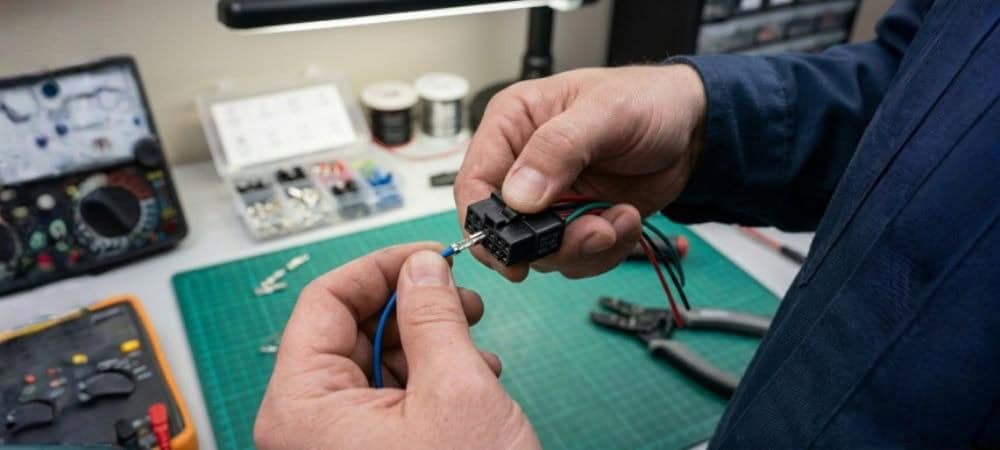
While extraction tools are ideal, beginners can try a careful, tool-free approach:
- Press the release tab firmly with a fingernail or thin object.
- Keep the pin aligned with the connector body.
- Pull slowly, applying minimal force.
This method works for many electrical cable suppliers in UAE who supply modular connectors compatible with hand removal techniques.
Safety Practices Every Beginner Should Follow
Electrical safety cannot be overstated. Follow these beginner tips:
- Always disconnect power before attempting pin removal.
- Avoid touching exposed metal terminals with bare hands.
- Work on an insulated surface.
- Keep a fire extinguisher nearby if dealing with high-voltage circuits.
By prioritizing safety, beginners can confidently handle connectors and terminals without risking injury.
Maintaining Connector Integrity After Pin Removal
Removing pins is only part of the process. Maintaining connectors afterward is equally important:
- Inspect for Wear: Look for cracks or bent terminals.
- Clean Contact Surfaces: Remove oxidation using a non-abrasive cloth.
- Test Continuity: Use a multimeter to ensure electrical connections remain intact.
Maintaining connectors reduces downtime and ensures optimal performance in your electrical projects.
Best Practices for Reinstallation of Pins
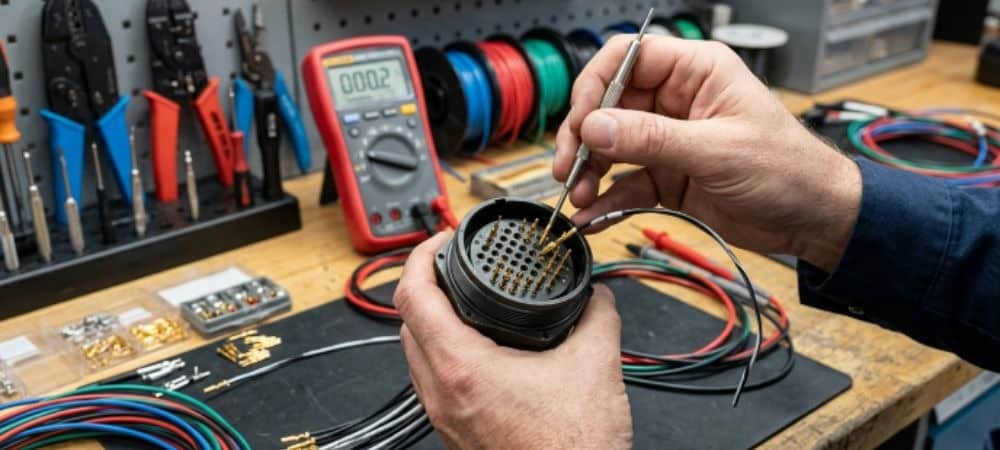
Proper reinstallation is the final step:
- Align pins with corresponding slots carefully.
- Apply even pressure to fully seat the pin.
- Verify that each pin is securely locked before powering the system.
- Test the connector before final assembly.
Following these steps guarantees long-term reliability of your electrical setup.
Choosing Quality Connectors for Easy Maintenance
Investing in high-quality connectors reduces pin removal challenges:
- Look for durable materials resistant to bending and corrosion.
- Select connectors designed for repeated insertion and removal.
- Consider products from Go Switchgear to ensure premium quality.
Using reliable connectors saves time and avoids costly replacements.
Common Myths About Pin Removal
Many beginners fall for myths that lead to mistakes:
- Myth 1: “All pins can be pulled without care.” – Reality: Locks prevent damage when released.
- Myth 2: “Force always works.” – Reality: Excess force breaks connectors.
- Myth 3: “All connectors are the same.” – Reality: Different types require different techniques.
Understanding these myths helps avoid unnecessary damage and frustration.
Industry Tips for Professionals
Professionals often use these insider tips:
- Always maintain a clean, well-lit workspace.
- Use dedicated pin extraction kits.
- Track connector maintenance for large projects.
- Use high-quality replacement pins if originals are damaged.
These strategies save time, reduce errors, and maintain system integrity.
Conclusion
Knowing how to remove pins from connector and how to de-pin a connector safely is essential for anyone working with electrical systems. Avoiding common mistakes such as applying excessive force, ignoring pin orientation, or skipping safety precautions helps ensure your connectors remain intact and functional. Whether you are a beginner or an experienced technician, understanding proper connector pin removal techniques can save time and prevent damage. Remember, some connectors can even be de-pinned without specialized tools, but caution is key. For the best results, follow step-by-step guidance, and always check compatibility with your connectors and terminals. Explore high-quality connectors and terminals, circuit protection components, and pin-type lugs from GoSwitchgear to ensure safe, efficient electrical connections.
Don’t risk mistakes; visit GoSwitchgear today and take your connector maintenance to the next level with our expert tips and reliable products.
FAQ’s
Q1: How do I safely remove pins from a connector?
To remove pins safely, ensure the connector is unlocked first. Gently press or lift the locking mechanism while pulling the pin. Avoid using excessive force to prevent damage.
Q2: Can I de-pin a connector without special tools?
Yes! For some connectors, you can de-pin without a tool by carefully using a small flathead screwdriver or paperclip. Remember, safety is key to avoid bending or breaking pins.
Q3: What are common mistakes when removing connector pins?
Beginners often pull pins without releasing locks, use excessive force, or ignore pin orientation. Each mistake can damage the connector or pin.
Q4: How do I efficiently remove pins from electrical connectors?
Use a step-by-step approach: unlock the connector, gently press the release tab, and pull the pin straight out. Avoid twisting or bending the pins.
Q5: Which connectors and terminals are compatible with GoSwitchgear products?
GoSwitchgear offers a wide range of connectors and terminals, including pin-type lugs and other options suitable for various electrical setups. Explore our connectors and terminals collection for compatible parts.
Share this post

Related
Posts
The Ultimate Guide to Industrial Panel Sockets and Wall Sockets for UAE Workspaces & Heavy-Duty Sites
A socket that works in a clean office may fail quickly on a workshop floor, generator panel, warehouse loading bay,...

Wire Connectors for Downlights & LED Strips: A UAE Fit-Out Guide (2026)
Which KableKonnect PCT connector for downlight chains, driver-fed clusters, LED strip runs and ceiling roses. Featuring the SPL deconcentrator range...
Electrical Wire Connectors in Dubai: A Panel Builder’s Sourcing Guide (2026)
What actually costs what for electrical wire connectors in Dubai — WAGO vs KableKonnect PCT alternatives, MEP spec compliance routes,...
WAGO 221 vs WAGO 222: Which Lever Wire Connector Do You Need? (2026 UAE Guide)
The 221 splices multiple wires from one side. The 222 passes a run through, in on one edge, out the...
.jpg)